Overview
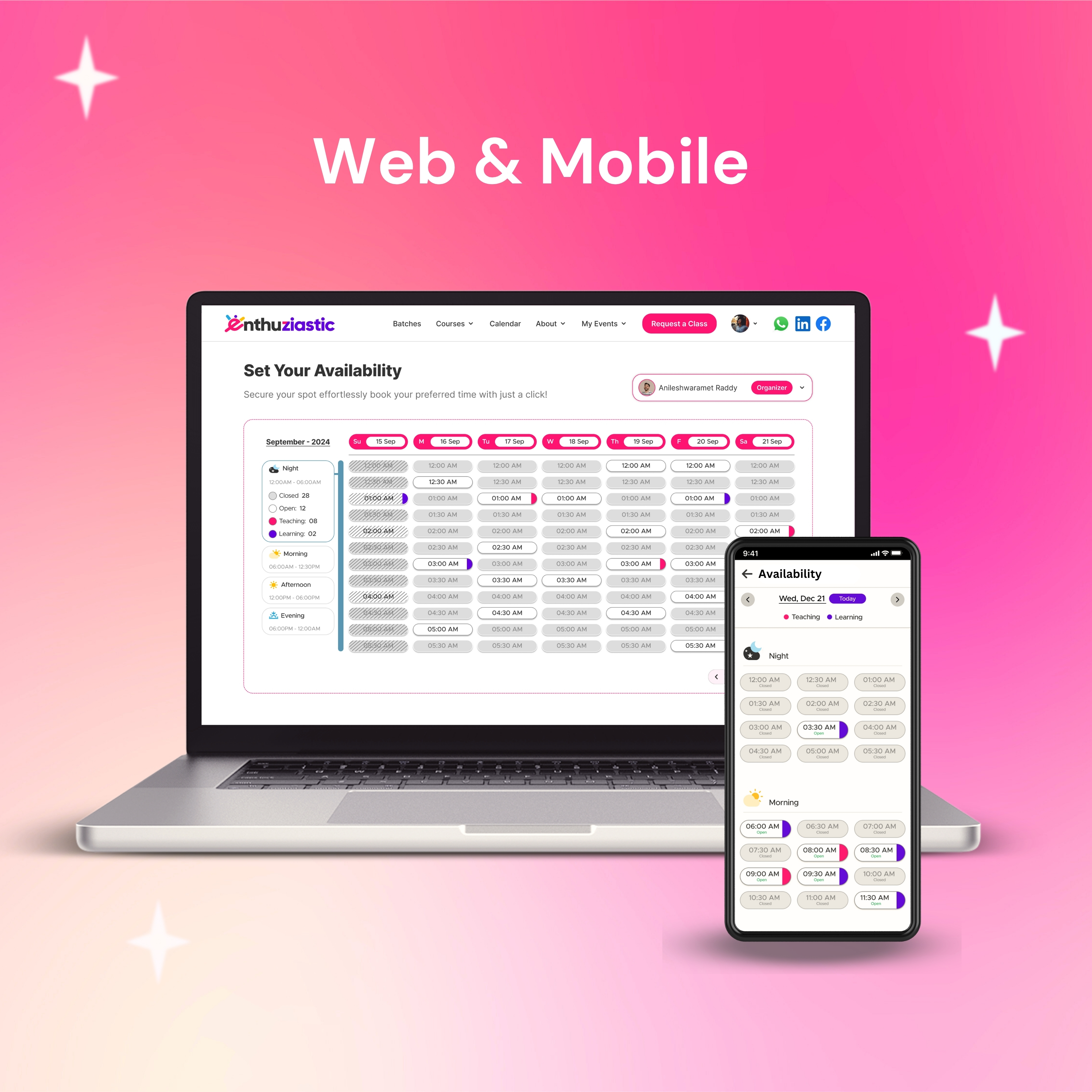
To streamline scheduling and enhance the user experience for both instructors and learners, EnthuZiastic introduced a brand-new web-based Availability UI. This upgrade allows users to set, view, and manage available teaching slots efficiently, replacing previous time-consuming, manual coordination processes.
The Problem
Before this update, managing instructor availability was primarily manual. The sales and operations teams had to communicate directly with tutors and learners to determine time slots, causing scheduling delays, miscommunication, and inefficiencies.
Key issues with the previous system:
- Manual coordination required between tutors and EnthuZiastic staff.
- Frequent conflicts due to unclear availability.
- Time loss in back-and-forth communication.
- Poor visibility for students on available slots.
My Goal Was
- Provide a clear and interactive weekly schedule
- Allow learners to easily select and book a slot
- Improve visibility into mentor availability to speed up decision-making
- Reduce dependency on manual communication
The Team
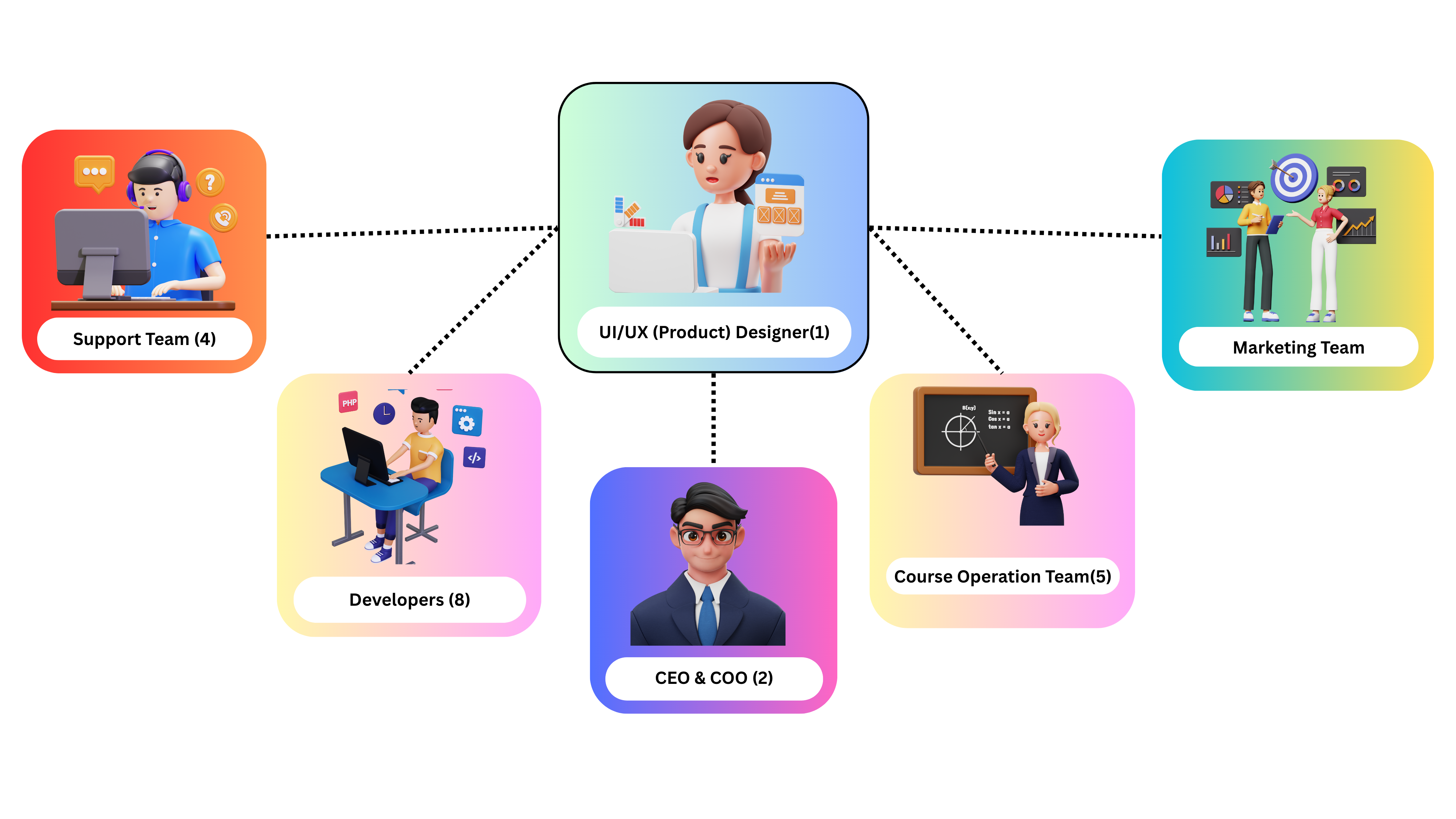
I led the design solo, collaborating closely with CEO, Developers, Marketing team, Course operation team, and Support team. It was a tight, agile setup that enabled quick iterations and seamless execution.
The Process
I followed a user-centered design thinking process, focusing on understanding users’ pain points and business needs. My goal was to create a solution that balanced usability, business value, and technical feasibility through continuous feedback loops and iteration.
Key Steps
1. Identified the Problem:
I collaborated with internal teams to understand booking delays, user confusion, and the need for a visual scheduling interface.
2. UX Research:
Analyzed user pain points and benchmarked scheduling patterns from platforms like Calendly and Preply.
3. Defining UX Goals:
Focused on clarity, ease of slot selection, timezone transparency, and reducing manual effort.
4. Design & Iteration:
- Developed wireframes and designed a clean, engaging interface which is aligned with brand guidelines. Created interactive prototypes, refining designs based on continuous feedback using Figma.
5. Handoff & Implementation Support:
- Delivered developer-ready specifications. With business input and competitor research, established a clear strategy.
Final Design (Availability UI)
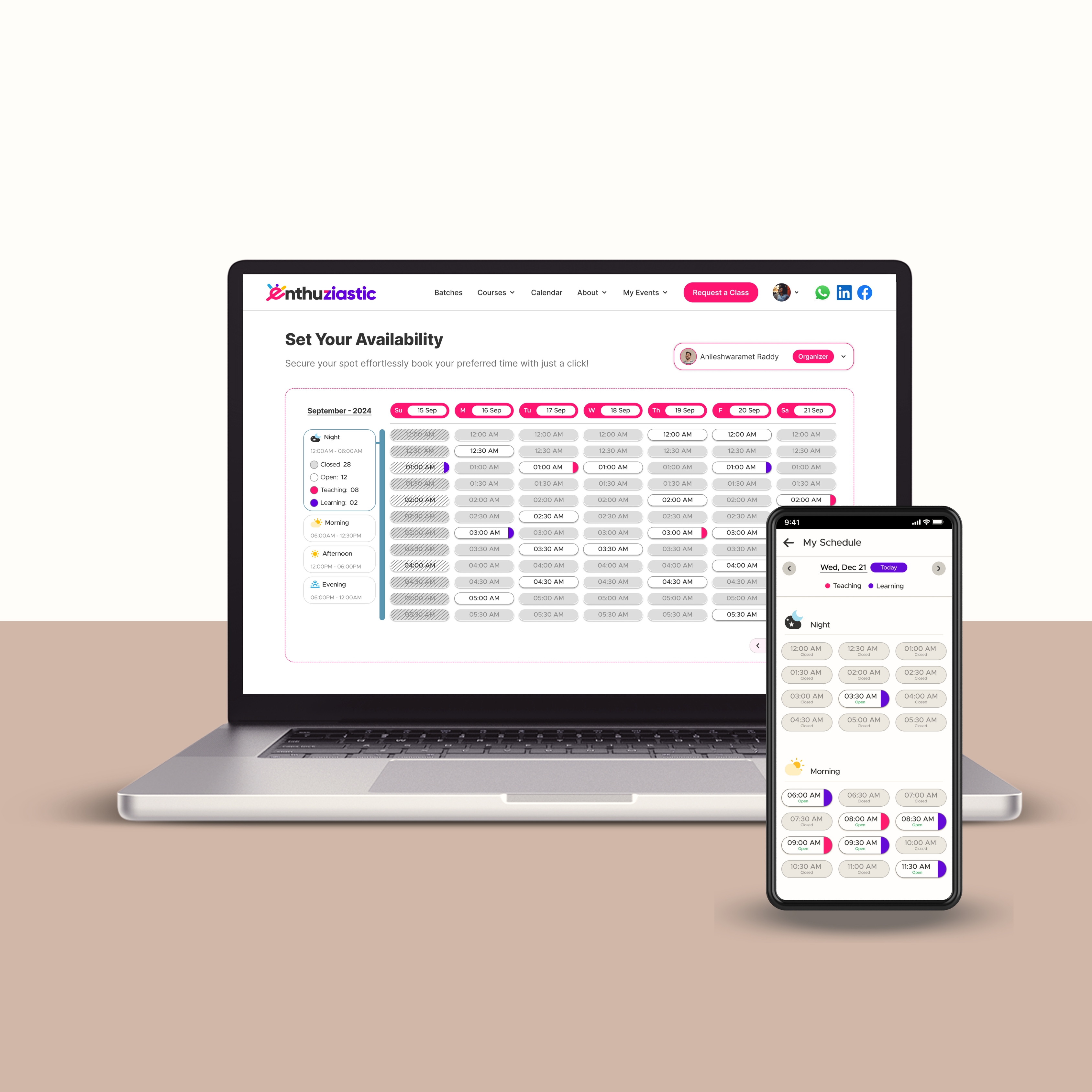
New Availability UI
The new “Set Your Availability” UI was developed to allow tutors to effortlessly add their available times in an intuitive, visually segmented calendar.
Key Features:
- Weekly and daily time slot view segmented by part of the day (Night, Morning, Afternoon, Evening).
- Click–to–select available slots.
- Color–coded indicators showing availability status (Closed, Open, Teaching, Learning).
- Dropdown for managing family profiles.
Impact:
Since the release of the new Availability UI:
- Reduction in scheduling-related inquiries.
- Increase in confirmed session bookings within the first week of availability.
- Improved tutor satisfaction with reduced overhead.
- Real-time updates allow learners to pick from available slots instantly.
- Support team’s effort reduced by over 80% due to automation.
Business Value:
This new design contributes directly to operational efficiency and user satisfaction, translating to faster conversions, fewer cancellations, and better user engagement.
- Increased tutor engagement.
- Reduced missed or rescheduled classes.
- Higher learner retention due to reliable booking process.